
TotalAV Antivirus & Security
Total Security LimitedTools
4.223.03K Reviews
- Version
- 3.1.5
- Installs
- 10.00M
- Age Rating
- Everyone
Screenshots
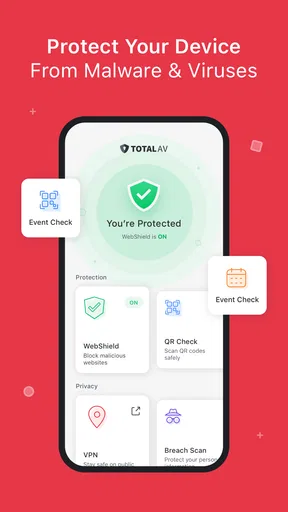
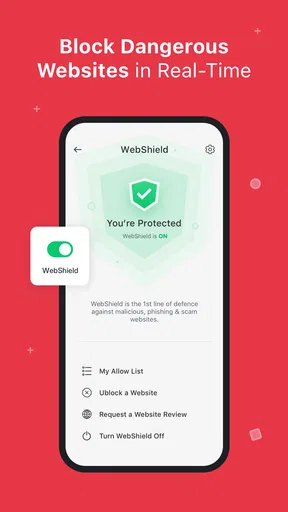
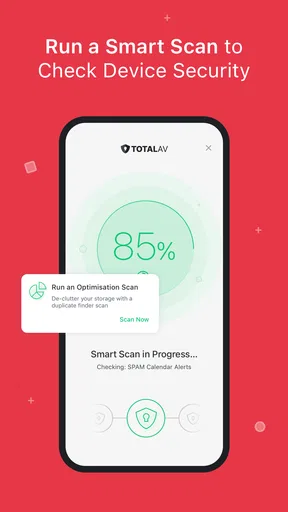
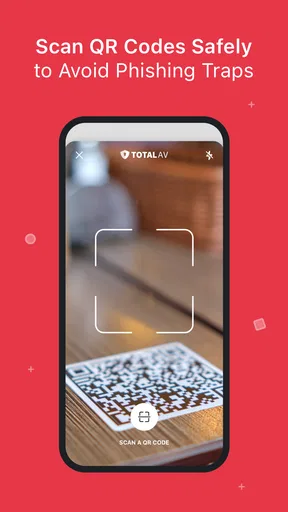
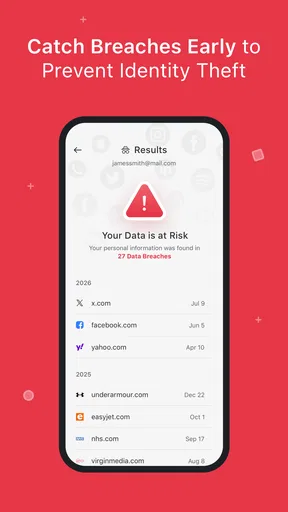
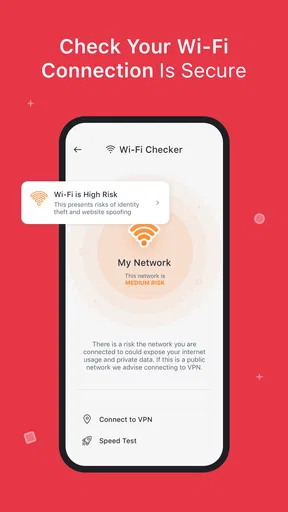
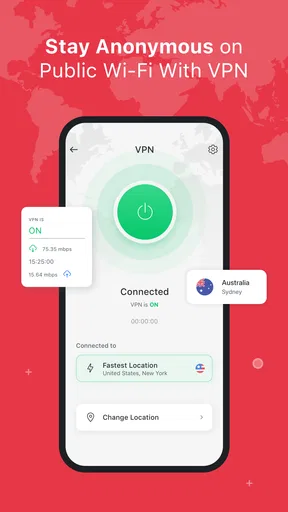
Our Review of TotalAV Antivirus & Security
 Analysis by Appyee
I usually notice mobile security most when I’m doing something ordinary: opening a link from a message, joining Wi-Fi away from home, or installing an app I haven’t used before. TotalAV Mobile Security is built for that everyday layer of caution, bringing security and maintenance tools together in one place. I see the appeal, especially if you prefer one app to check rather than several separate utilities, though its usefulness depends on which features you actually need and which are available without paying.
When a connection changes the experience
Security tools often feel most relevant when a phone is online, and TotalAV puts that idea at the center of several of its features. Web Shield is intended to help steer you away from malicious sites, while its VPN is presented as a way to secure an internet connection. These are different jobs: one concerns where a link takes you, and the other concerns the connection you use. I would not treat either as a reason to stop checking unfamiliar links or to assume every public network is safe.
A useful habit is to pause before following a link in a text or email, then let a web-protection tool provide another layer of caution as you browse. If I’m using Wi-Fi in a café or waiting area, I would consider whether the VPN feature suits that session, while remembering that a VPN does not make every online action private or trustworthy. The practical benefit is less about feeling invincible and more about adding a checkpoint at moments when it is easy to tap without thinking.
Built for phones that move between places
The app’s mobile focus makes sense for people who switch between home Wi-Fi, mobile data and shared networks during the day. A commuter checking messages, a student moving between campus and home, or someone who travels with a phone as their main browsing device may value having web protection and a VPN in the same security toolkit. For a family member who is less confident spotting risky pages, a simple place to start a scan and review security tools can also be reassuring.
That convenience is not the same as a guarantee. I would still keep the phone’s operating system and apps current, use a screen lock, and avoid entering account details after following a suspicious link. Those everyday steps address risks an app cannot erase. TotalAV is better understood as a supporting layer than as a substitute for careful habits or the protections built into a phone and its app store.
What to do when a scan or connection raises a question
If a scan flags something, I would read the result before acting rather than automatically removing anything I do not recognize. Security apps can make unfamiliar items look alarming, and a clear decision depends on understanding what was flagged and where it came from. If the alert is unclear, the sensible next step is to look for an explanation in the app or contact support, not to guess at the consequences of a cleanup action.
Connection-related protection also has limits: a VPN can only help while the feature is in use, and a web shield is not a replacement for checking a page’s address and context. If a protected page does not behave as expected, I would first check whether the connection is stable and whether the feature is enabled, then retry before changing broader security settings. That kind of small troubleshooting step is more useful than assuming a temporary connection problem means the phone itself is compromised.
Using the tools without wasting data or attention
People who have limited mobile data may want to be deliberate about when they run scans, browse through a VPN, or use other online security features. I would start a scan when the phone is charging and connected to a trusted network if the task is not urgent, and reserve mobile data for the protection I need while away from home. This is a practical routine, not a promise that every feature uses the same amount of data or works in the same way.
Notifications are another resource. The original experience feels restrained, but I would still review what alerts are enabled and keep the ones that help me make decisions. If an app sends repeated prompts that do not change what I do, I’m less likely to notice the one that matters. A security tool should fit into a routine quietly; it should not turn normal browsing into a series of interruptions.
Setting Up TotalAV Mobile Security
Getting started with TotalAV Mobile Security is pretty straightforward. Downloading it from the App Store or Google Play is a breeze. Once installed, the app gives you a clear, user-friendly interface that's easy to navigate, even if tech isn't your strong suit.
The setup process involves creating an account and running an initial scan. This scan is like a health check-up for your phone, ensuring everything is running smoothly and free from malicious threats. The app offers real-time protection, meaning it’s constantly on the lookout for threats—kind of like having a security guard on duty 24/7.
Features That Stand Out
What really caught my eye were the variety of features offered. It’s not just about stopping viruses; it's about giving you a complete security package.
- Anti-Malware Protection: This is your basic defense against viruses, spyware, and other nasties lurking online. TotalAV scans downloaded files and apps, keeping your device squeaky clean.
- Web Shield: Browsing the web can sometimes feel like walking through a minefield. Web Shield helps prevent you from stumbling onto malicious websites, giving you peace of mind while surfing.
- VPN: TotalAV offers a VPN to secure your internet connection, making public Wi-Fi a lot less scary. It’s like sending your data through a secret tunnel.
- System Tune-Up: This feature helps optimize your device, cleaning up junk and freeing up space. It’s like giving your phone a refreshing spring clean.
Is It Worth It?
Now, let's talk about usability. The app runs smoothly in the background without hogging too much of your phone’s resources. That's crucial because nobody wants a security app that slows everything else down.
One thing I did notice is that some features are locked behind a premium subscription. If you're looking for full protection, you might have to consider upgrading. However, even the free version offers a decent level of security for everyday use.
The pricing choice deserves a careful look before you commit. The app is free to install, with in-app purchases ranging from $4.99 to $59.99 per item, so I would check exactly which plan or tool is being offered and whether it renews before confirming anything. If you only want occasional reassurance from a scan, a paid bundle may be more than you need. If you expect to use the VPN and other extras regularly, compare their cost with the separate services you already pay for rather than assuming a bundle automatically saves money.
Where it sits among mobile security choices
Compared with relying only on a phone’s built-in security and careful browsing, TotalAV puts scanning, web protection, a VPN and tune-up tools under one roof. That breadth is convenient, but it can also mean paying for capabilities you do not use. A person who mainly wants to avoid questionable downloads may be better served by keeping the operating system current, using trusted app sources and choosing a focused security tool. Someone who wants several kinds of protection in one interface may find TotalAV easier to manage.
I would also distinguish a security suite from a dedicated VPN. If your main concern is choosing a service for frequent online privacy use, compare dedicated VPN options on the details that matter to you, rather than picking one only because it appears inside a broader security app. Conversely, if you rarely use public Wi-Fi and already have a VPN, the extra feature may not justify a subscription. The best fit comes down to your routine, not the number of tools displayed in the app.
TotalAV is a free app from Protected.net Group Limited T/A Total Security, and it is rated for Everyone. Its average rating is 4.2 from around 159,000 ratings, with about 22,000 written reviews and more than 10 million installs. It was released on September 21, 2016; the current version is 3.1.0 and it requires Android 6.0 or later. Those details make it a well-established option for Android users, but they do not replace checking that your own device and preferred features fit the app.
A routine that makes the app more useful
Here is a realistic way I’d use it: before a busy day out, I would check the security dashboard and run a scan while the phone is charging at home. During the day, if I need to use shared Wi-Fi, I would decide whether to turn on the VPN for that connection. If a message contains an unexpected link, I would avoid tapping it casually and let Web Shield add a layer of screening if I choose to open it. At the end of the day, I would use the tune-up option only if I had a clear reason to free space, rather than cleaning files simply because a tool suggests it.
That workflow also helps answer a common question: does an app like this make cautious behavior unnecessary? No. It can support safer browsing, but it cannot make a suspicious message legitimate, guarantee that every threat will be caught, or protect an account with a weak password. I would pair it with unique passwords, two-step verification where available, and a habit of checking who sent a link before opening it.
Who should install it—and who can skip it
I think TotalAV is most appealing to people who want a straightforward mobile security hub and are willing to spend a few minutes deciding which parts they will use. It may suit someone who often browses on the go, wants an extra web-safety layer, and likes having a scan and maintenance tools together. The clear interface is also a plus for anyone who finds separate security apps confusing.
I would skip it if you only want a basic, no-cost way to keep your phone in good shape and do not need its paid extras. It is also not the right choice if you expect a security app to replace updates, safe account practices or your own judgment about links. Before paying, I would try the free experience, identify a specific feature I genuinely need, and then compare the subscription offer with a focused alternative.
User Experience
TotalAV Mobile Security is designed with the user in mind. The app is intuitive, and I found the alerts to be informative without being overwhelming. It's nice not to be bombarded with notifications every five minutes.
The customer support is also worth mentioning. They offer a variety of support options, including live chat, which is a lifesaver when you're in a pinch and need answers fast.
Conclusion
So, is TotalAV Mobile Security the right pick for you? If you're looking for a comprehensive security suite that offers more than just basic protection, it's definitely worth considering. The additional features like the VPN and system tune-up are great bonuses that enhance the overall value.
While the premium version unlocks the full potential of the app, even the free version provides a solid line of defense. In a world where our phones are extensions of ourselves, a little extra security goes a long way. Give it a try and see how it fits into your digital lifestyle!
My final test would be whether the app improves your own routine without adding needless friction. If the features you use are easy to reach and the purchase terms make sense, it can be a practical all-in-one companion. If you mainly want a dedicated VPN, a single scan tool, or no paid extras at all, a narrower option—or simply the phone’s built-in safeguards and careful habits—may suit you better. Connectivity is where its web and VPN tools are most relevant, but the strongest protection still comes from combining sensible choices with tools you understand.
Verdict
Strengths of TotalAV Antivirus & Security
- Comprehensive malware protection.
- Real-time security alerts.
- User-friendly interface.
- System optimization tools included.
- Regular updates for new threats.
Limitations of TotalAV Antivirus & Security
- Can slow down older devices.
- Premium features require payment.
- Occasional false positives.
- Limited features on free version.
- Large app size may affect storage.
Similar Picks in This Category
View All
Google LLC4.0

Gboard - the Google Keyboard
Google LLC4.5

Google Play services
Google LLC4.3

Google Play Store
Google LLC4.9

Files by Google
Google LLC4.5

SHAREit: Transfer, Share Files
Smart Media4U Technology Pte.Ltd.4.3
Frequently Asked Questions
What features does TotalAV Mobile Security offer?
TotalAV Mobile Security provides a comprehensive suite of features to safeguard your device. These include real-time antivirus protection, a secure VPN for encrypted browsing, anti-phishing tools, and device optimization features to enhance performance. Additionally, it offers tools for tracking lost devices and a safe browsing mode to protect against malicious websites.
Is TotalAV Mobile Security compatible with both Android and iOS devices?
Yes, TotalAV Mobile Security is compatible with both Android and iOS devices. It offers tailored security solutions for each platform, ensuring that users receive optimal protection. Android users can benefit from additional features like app lock, while iOS users can enjoy privacy protection and system optimization tools.
How does TotalAV Mobile Security protect against malware and phishing attacks?
TotalAV Mobile Security uses advanced algorithms and real-time scanning to detect and block malware before it can harm your device. Its anti-phishing tools identify and warn against fraudulent websites attempting to steal personal information. Regular updates ensure that the app stays equipped to handle the latest threats effectively.
Does TotalAV Mobile Security affect device performance or battery life?
TotalAV Mobile Security is designed to run efficiently in the background without noticeably affecting device performance or battery life. It includes optimization tools that help improve device speed and manage memory usage, ensuring that your device operates smoothly while staying protected.
Is there a free version of TotalAV Mobile Security available?
TotalAV Mobile Security offers a free version with basic protection features. However, for comprehensive security, including access to the VPN, advanced anti-phishing tools, and device optimization features, a premium subscription is recommended. Users can explore the free version to get a feel for the app before committing to a purchase.
